Features
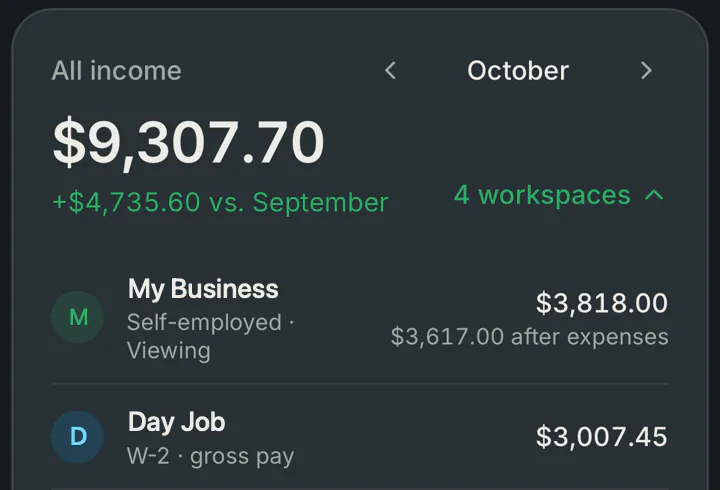
One place for every dollar you earn
From your paycheck to the appointments you book and the invoices you send, 521 brings it together and keeps it clear.
Every way you get paid
Bank deposits, Venmo, and cash come together in one ledger, sorted for you.
- 01
Automatic bank import
Connect through Plaid and new deposits and charges show up on their own.
- 02
Categorization that learns
Confirm a transaction once and 521 remembers it next time.
- 03
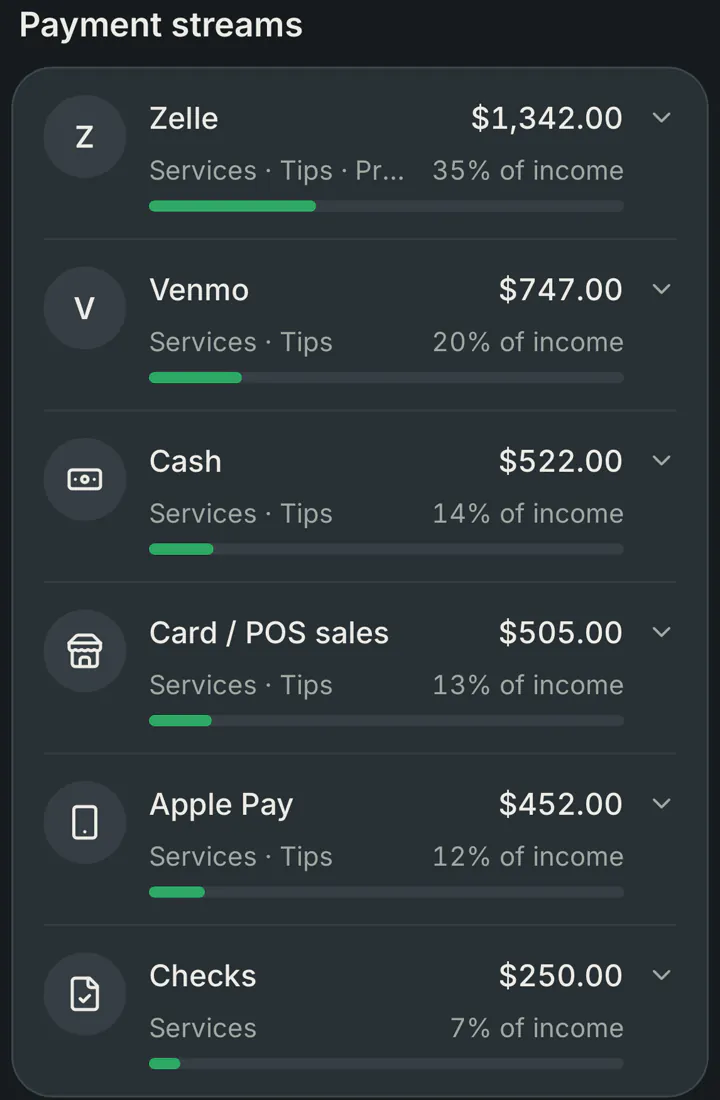
One ledger for every payment
Cash, card, Venmo, Apple Pay, Zelle, and POS, side by side and already sorted.
Also included
- Venmo history by CSV upload
- Instant new-transaction alerts
- Recurring income and expenses
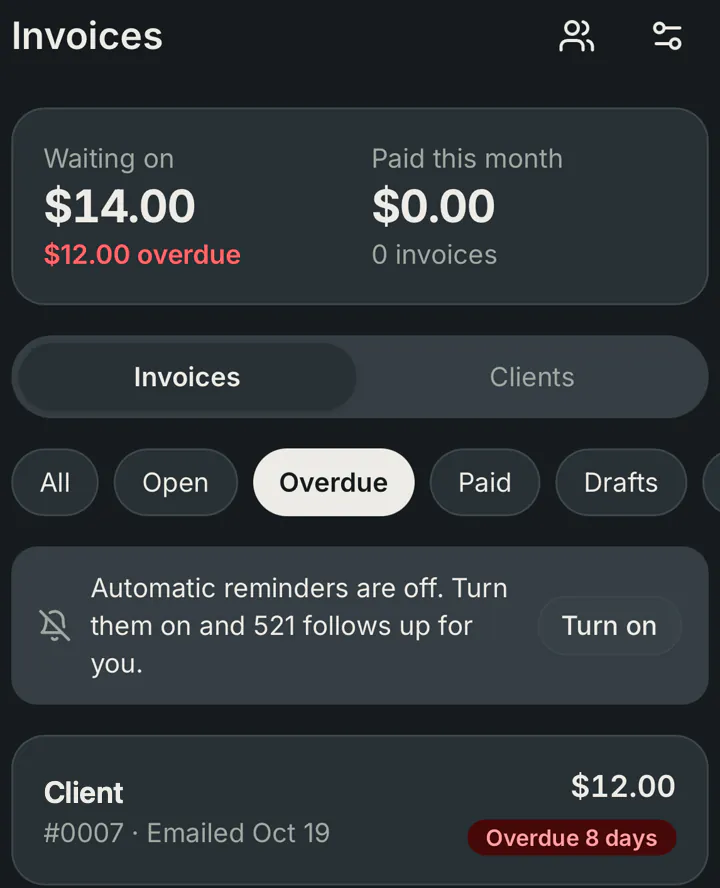
Invoicing, built into your books
From the first draft to the money landing, every step keeps your profit, goals, and tax numbers right.
Create
Branded invoices in a minute
Add your logo, colors, payment details, and policies once. Every invoice looks like you.
Send
However your client likes
Email it from 521, text it, or share a link or PDF.
Get paid
Card, bank, Venmo, or Zelle
Clients pay through Stripe's secure checkout. Venmo, Zelle, and checks are spotted in your bank and confirmed with one tap.
Booked
Already in your books
Each payment becomes income on the day it arrived. Stripe fees are logged as expenses.
Also included
- Deposits with their own due date
- Optional tips at checkout
- Reminders before and after the due date
- An alert the moment a client pays
- Refunds and disputes tracked on the invoice
- Deposits never counted twice
Take a payment on the spot
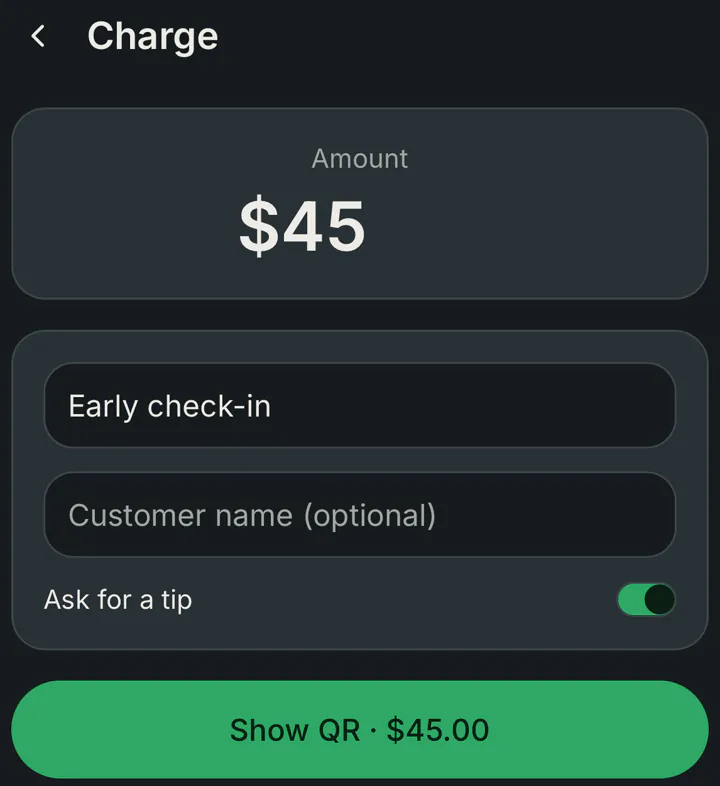
Show a QR code and your customer pays on their own phone. No card reader needed.
- 1
Type the amount and tap Show QR.
- 2
Your customer scans it and pays with card, Apple Pay, or Google Pay.
- 3
Your screen flips to Paid, and it's already in your books.
Tips built in
15%, 20%, 25%, or a custom tip. Turn it off for any charge.
Paid straight to you
Money goes into your own Stripe account. 521 never holds it.
In your books automatically
Recorded as income with the tip and Stripe fee included.
Also included
- Send a payment link instead
- Turn it into an invoice if they'll pay later
- Watch it go from Waiting to Paid live
Booking that gets you paid
A booking page clients can use any time, with deposits, reminders, and one-tap checkout, all connected to your books.
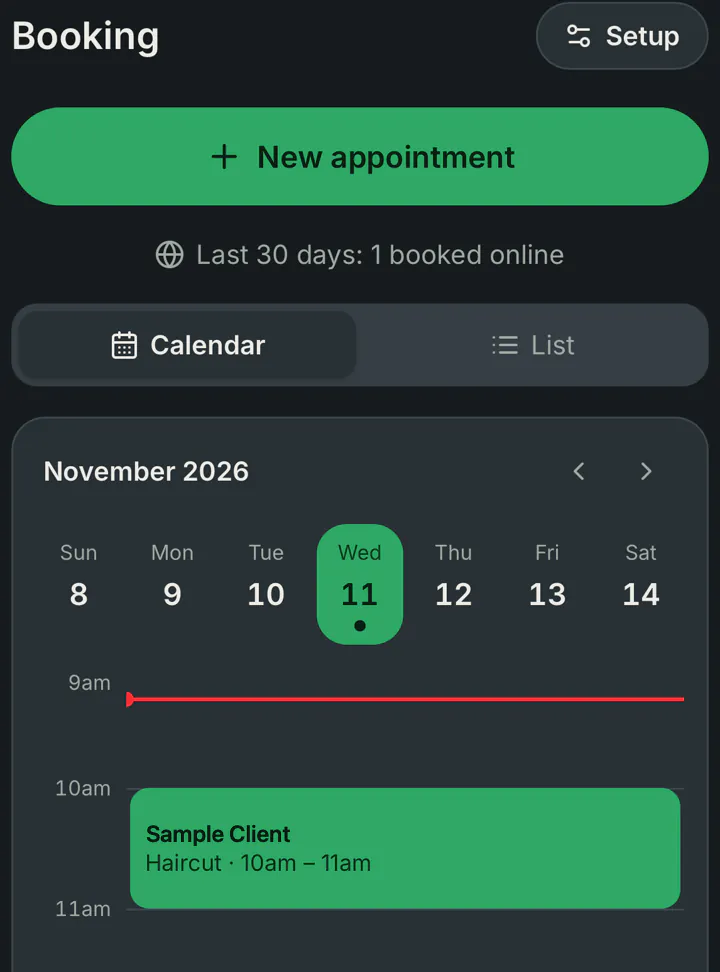
Your own booking page
Clients pick a service and an open time, any time. Share the link, a QR code, or a button on your site.
Free to cancel until Thu, 5:00 PM
Deposits that protect your time
Cancel before your cutoff and it's refunded automatically. After it, you keep it.
Reminder: Haircut tomorrow, 2:00 PM
Deposit paid $20 · Balance due $25
Reminders that cut no-shows
Up to two emails, from a week to an hour before, with the deposit, balance, and cancel deadline.
Finish and get paid
The deposit is subtracted. Collect by QR code, cash, or invoice, and it's recorded as income.
Also included
- Price, length, buffer, and deposit per service
- Weekly hours, days off, and booking rules
- Book now button for Squarespace, Wix, or Shopify
- Book clients yourself
- Clients cancel or reschedule on their own
- Double-booking blocked
- Push alerts for every booking change
- Calendar and list views
- Syncs with Google, Apple, and Outlook
Paychecks, explained
See what you earned, what was withheld, and what you actually take home.
- 01
Net pay, line by line
Federal, state, FICA, and 401(k) withholding, built from your real W-4 details.
- 02
Shifts, hours, and tips
Every shift and tip adds up to an accurate gross total, on weekly, biweekly, or custom pay periods.
- 03
A weekly hours goal
Set a target and watch your progress right on your earnings page.
Pay period
Example
Gross pay
$3,068.16
- Federal income tax
- −$512.40
- State income tax
- −$168.75
- Social Security
- −$190.23
- Medicare
- −$44.49
- 401(k)
- −$633.85
- Take-home
- $1,518.44
Run your business with clarity
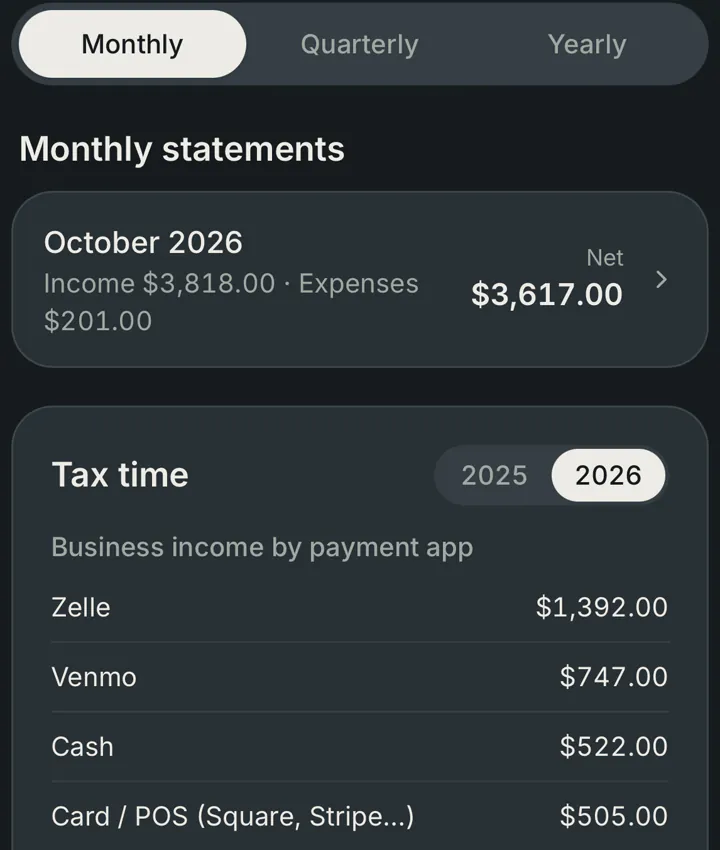
Expenses, receipts, and profit, organized for tax time and every day before it.
Expenses with receipts
Log and categorize expenses as they happen, with a photo of the receipt attached.
Profit and loss
Monthly, quarterly, and yearly P&Ls, ready whenever you need them.
Mileage deductions
Log business miles and 521 applies the IRS rate for you.
Plus custom categories, so your reports match how you work.
Organized your way
Workspaces and reminders that keep everything current without extra effort.
- Separate workspaces
- Each job or business in its own space.
- W-2 and business together
- Paychecks and independent income side by side.
- Location reminders
- A nudge when you arrive at or leave work.
- Daily reminders
- A quick prompt to keep your numbers current.